1. What is Digiturk Play and How Does It Work Abroad?
Digiturk Play is the official online streaming service that allows Turks and Turkish-speaking communities living outside Turkey and the Turkish Republic of Northern Cyprus (TRNC) to watch their favourite Turkish channels and Süper Lig football matches over the internet.
No satellite dish, satellite receiver, or additional hardware is required. You can stream on your smartphone, tablet, computer, or Smart TV — all you need is an internet connection and a subscription.
From Europe to the USA, Australia to Canada — wherever you have internet access, you can watch Digiturk Play. It is the most reliable legal way to watch Turkish TV channels abroad, including ATV, Show TV, Kanal D, Star TV, and all beIN Sports channels with live Süper Lig coverage.
2. How Do I Subscribe to Digiturk Play and How Quickly Does It Activate?
Subscribing to Digiturk Play abroad is quick and straightforward. Visit the packages page, choose the plan that suits you, and fill in the registration form with your name, surname, email address, and a password. Then complete the payment using your credit or debit card via 3D Secure verification.
Once payment is confirmed, your login credentials are sent to your email address and your subscription is activated within approximately 3–5 minutes. You can start watching immediately after logging into the app on your preferred device.
Digiturk Play subscriptions are available worldwide for anyone wanting to watch Turkish channels and Süper Lig matches legally from abroad — including Germany, the UK, France, the Netherlands, Belgium, Austria, Switzerland, the USA, Canada, and Australia.
3. On Which Devices Can I Watch Digiturk Play?
Digiturk Play works on a wide range of devices, making it easy to watch Turkish channels and Süper Lig matches from anywhere:
- Smart TVs: Samsung and LG Smart TVs
- Android TV devices: Mi Box, Nvidia Shield, and similar
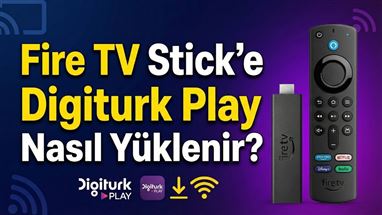
- Streaming sticks: Amazon Fire TV and Fire TV Stick
- Apple devices: Apple TV, iPhone, and iPad
- Android devices: Android smartphones and tablets
- Web browser: Any computer or laptop via browser
On most devices, simply search for "Digiturk Play Yurt Dışı" (Digiturk Play Abroad) in the app store and download the free app. You can watch on your big screen TV at home or your mobile phone on the go — no satellite dish required.
4. Which Payment Methods Can I Use to Subscribe to Digiturk Play?
Digiturk Play accepts a wide variety of payment methods to make subscribing easy from anywhere in the world:
- Credit & Debit Cards: Visa, Mastercard, American Express, Discover, Diners Club, JCB, China UnionPay, and Cartes Bancaires (France)
- Digital Wallets: PayPal, Apple Pay, Google Pay, Link
- US-specific: Amazon Pay, Cash App Pay
- Buy Now, Pay Later: Klarna, Affirm, Afterpay/Clearpay
- Local payment methods: EPS (Austria), Bancontact (Belgium)
- Bank transfer: Euro and Dollar bank transfer also available
All payments are secured with SSL encryption and 3D Secure authentication. Turkish bank cards are also accepted. Pricing is in Euros for European countries and in Dollars for USA, Canada, and Australia.
5. From Which Countries Can I Watch Digiturk Play? Does It Work in Turkey and TRNC?
You can watch Digiturk Play from anywhere you have an internet connection – including Turkey and the TRNC – on every supported device, the web browser included. The service is licensed and legally available in more than 100 countries, and no VPN or special setup is required.
The earlier restriction on streaming through the website from Turkey and Northern Cyprus has been lifted. You can now sign in from a browser in Turkey and the TRNC exactly as you would from abroad.
Where you can watch:
- Web browser on any computer – Chrome, Safari, Edge or Firefox, with no installation
- iPhone, iPad, Android phones and tablets
- Smart TVs (Samsung Tizen, LG webOS), Android TV and Google TV
- Apple TV, Amazon Fire TV Stick and Android TV boxes
So whether you are in Germany, the UK, France, the Netherlands, Belgium, Austria, Switzerland, Sweden, Denmark, Norway, the USA, Canada, Australia, Turkey or the TRNC, your subscription works the same way – and it travels with you when you visit Turkey.
6. How Many Hours Can I Rewind Live TV on Digiturk Play? (Catch-Up)
You can rewind live broadcasts up to 24 hours on TRT 1, ATV, Kanal D, Star TV, Show TV and TV8, and up to 12 hours on all other channels in your package.
- TRT 1, ATV, Kanal D, Star TV, Show TV, TV8 – up to 24 hours
- All other channels in your package – up to 12 hours
This is the catch-up (Tekrar İzle) feature. If the time difference between the country you live in and Turkey means a match, a news bulletin or an episode airs while you are asleep or at work, you can pause the live stream, rewind within the window above, or start the replay whenever it suits you.
The rewind window works on every supported device – Smart TV, Android TV, Apple TV, Amazon Fire TV, phone, tablet and computer – and needs no extra fee, hardware or setting. Please note that catch-up rights for a small number of series can expire under licensing agreements, so individual titles may not appear in the archive.
7. How Do I Renew My Digiturk Play Package?
Before your subscription expires, you will be contacted by email and phone as a reminder. If you wish to renew yourself, you can do so in just a few steps at digiturkplay.net, or get assistance via our WhatsApp support line.
After renewal, your streaming continues without any interruption — you won't lose your viewing history or saved preferences. Your subscription is tied to your user account, so switching devices or moving countries does not affect the renewal process.
8. How Do I Cancel My Digiturk Play Subscription and Stop Auto-Renewal?
Digiturk Play subscriptions are prepaid — when the period ends, the package expires automatically. If you do not wish to continue, no action is required; your subscription will not be automatically renewed without your knowledge.
If you want to cancel before the period ends, you can contact customer services. For packages purchased through digiturkplay.net, use the WhatsApp support line; for packages purchased from other sellers, contact that seller's support channel.
EU residents also have a 14-day right of withdrawal from the date of purchase. During this period, you can cancel and request a full refund.
9. What is the Digiturk Play Family Package and Which Channels Does It Include?
The Family Package is Digiturk Play's entry-level subscription and includes over 60 channels. It features major Turkish national channels such as ATV, Show TV, Star TV, and Kanal D, along with news, drama/series, movies, documentary, music, and children's channels.
Please note: Süper Lig and beIN Sports channels are not included in the Family Package. If you want to watch football matches, you need the Sports Package.
The Family Package is ideal for those living in Europe, the USA, Canada, Australia, or anywhere abroad who want to stay connected with Turkish daily life, series, and entertainment without satellite equipment.
For the complete and up-to-date channel list, please visit the channel list page on our website.
10. What is the Digiturk Play Sports Package and Which Channels Does It Include?
The Sports Package includes everything in the Family Package plus beIN Sports channels and additional sports content — nearly 80 channels in total. It is the most comprehensive Digiturk Play subscription available abroad.
With the Sports Package, you can:
- Watch all Trendyol Süper Lig and 1st League matches live in HD quality
- Access all national Turkish channels (ATV, Show TV, Kanal D, Star TV, etc.)
- Enjoy drama series, films, news, documentaries, and children's content
- Use the 12-hour rewind feature during live matches
- Watch past matches via the Catch-up (Tekrar İzle) service
This is the recommended package for Turkish football fans living in Germany, Austria, Switzerland, Belgium, the Netherlands, France, the UK, Sweden, the USA, Canada, Australia, and all other countries.
11. How Do I Pay with PayPal for Digiturk Play?
Paying with PayPal for Digiturk Play is simple. On the purchase screen, select PayPal as your payment method. You will then be redirected to the PayPal login page — sign in to your account and confirm the payment.
Once confirmed, your subscription is activated immediately and your login credentials are sent to your email address. PayPal is accepted for subscriptions from Europe, the USA, Canada, Australia, and many other countries.
12. What Internet Speed Do I Need to Watch Digiturk Play in Good Quality?
For smooth streaming on Digiturk Play, a broadband connection is recommended:
- Full HD (1080p) streams: 10–15 Mbps
- 4K content: Approximately 25 Mbps
The system automatically adjusts video quality based on your current internet speed, so you can also watch on mobile 4G/5G connections. Even if your connection fluctuates, the stream will try to adapt and continue without disconnecting.
For the best experience when watching Süper Lig matches or your favourite Turkish series, a stable wired or Wi-Fi connection is recommended.
13. Why Is GS TV Not Available in Digiturk Play's Channel List?
GS TV ended its satellite broadcast as of 1 January 2024, following a decision by Galatasaray's management. Since Digiturk Play receives its channels via the Digiturk satellite infrastructure, and GS TV is no longer broadcast via satellite, it cannot be included in the channel list.
If GS TV resumes satellite broadcasting, the situation will be re-evaluated and the channel may be added back. We will keep our subscribers informed of any changes.
14. Why Are Some TV Series Missing from the Catch-Up / Tekrar İzle Section?
Due to new licensing agreements with broadcast organisations, the catch-up (Tekrar İzle) rights for certain series on national channels have expired. As we only offer content that is legally licensed, we cannot include these series in the archive.
However, you can still watch the live broadcasts of these series at their scheduled broadcast time. For a full list of what is available in the catch-up section, please check the Digiturk Play app or contact our support team.
15. How is a Digiturk Play membership cancelled?
What do I need to do to cancel my membership?
Your package is automatically cancelled at the end of the period, so you do not need to take any action.
Do I need to make a separate cancellation request?
No. You do not need to submit a separate request for the cancellation process; your membership ends automatically when the period expires.
16. Why are Sports Package channels not showing on my Airties 7120 / 7200 (Digiturk Play 2026 Update)
Why are Sports Package channels no longer available on the Airties 7120/7200 IP Box?
Members using an Airties box may notice that the Sports Package channels no longer appear in the channel list. This is not a fault or a subscription problem; it is entirely related to the device's technical infrastructure.
What causes this issue?
Airties 7120 / 7200 IP Box models were sold between 2012 and 2015. Since then, Digiturk Play has overhauled its streaming infrastructure and updated the encryption system that protects its content. The hardware in this older box does not support the DRM (Digital Rights Management) encryption protocols and the H.265/HEVC video compression standard that Digiturk uses today.
Can it be fixed with a software update?
No. Because the manufacturer stopped releasing software updates for this model long ago, the issue cannot be resolved through software.
Which channels can I watch now?
As of 01.06.2026, only the Family Package and National Channels remain available on the Airties IP Box. To watch Sports Package channels, you need to switch to a current device (a Digiturk Play compatible app or a next-generation box).
17. Why are Sports Package channels not showing on my Humax H3 IP Box? (Digiturk Play 2026 Update)
Why are Sports Package channels no longer available on the Humax H3 IP Box?
Members using a Humax H3 box may notice that the Sports Package channels no longer appear in the channel list. This is not a fault or a subscription problem; it is entirely related to the device's technical infrastructure.
What causes this issue?
Humax H3 IP Box models were sold between 2014 and 2016. Since then, Digiturk Play has overhauled its streaming infrastructure and updated the encryption system that protects its content. The hardware in this older box does not support the DRM (Digital Rights Management) encryption protocols and the H.265/HEVC video compression standard that Digiturk uses today.
Can it be fixed with a software update?
No. Because the manufacturer stopped releasing software updates for this model long ago, the issue cannot be resolved through software.
Which channels can I watch now?
As of 01.06.2026, only the Family Package and National Channels remain available on the Humax H3 IP Box. To watch Sports Package channels, you need to switch to a current device (a Digiturk Play compatible app or a next-generation box).
18. How Much Does Digiturk Play Cost in Europe? What Affects the Price?
The price of a Digiturk Play subscription depends on: your country of residence, the package you choose (Family or Sports), and the payment duration.
- Subscriptions in European countries are priced in Euros
- In the USA, Canada, and Australia, pricing is in Dollars
- Longer payment periods result in a lower monthly cost
Prices are updated regularly based on exchange rates and promotional campaigns. For the most accurate and up-to-date pricing, please visit the packages page on our website. Annual prepayment typically offers savings of 15–25% compared to shorter-term options.
19. What Is the Main Difference Between the Digiturk Play Family Package and Sports Package?
The key difference between the two packages is sports content:
- Family Package: Includes national Turkish channels (ATV, Show TV, Star TV, Kanal D, etc.), drama series, films, news, documentary, music, and children's channels. Does NOT include Süper Lig or beIN Sports.
- Sports Package: Includes everything in the Family Package PLUS all beIN Sports channels and live Süper Lig and 1st League broadcasts in HD quality.
If you only want to watch Turkish series and entertainment, the Family Package is the right choice. If you also want to follow Turkish football, the Sports Package is for you.
20. Can I Personalise My Digiturk Play Package?
Yes. When purchasing, you can customise your subscription by choosing the package (Family or Sports), the payment duration (e.g. annual prepayment or shorter periods), and your preferred streaming method.
This allows you to create a combination that best suits your needs and budget. If you are unsure which package is right for you, our WhatsApp support team is happy to guide you through the options.
21. Is There a Package for Commercial Venues Like Cafés, Restaurants, or Workplaces?
Different terms may apply for streaming in commercial venues compared to individual subscriptions. If you are planning to use Digiturk Play in a workplace, café, restaurant, or similar setting, please contact our WhatsApp support line with your requirements.
Our team will work with you to evaluate the most appropriate solution and conditions for your specific use case.
22. Is There a Discount for Annual Prepayment on Digiturk Play?
Yes. When paying annually in advance, you typically save between 15% and 25% compared to shorter payment periods. If you plan to use Digiturk Play long-term, annual prepayment is the most cost-effective option.
Occasionally, campaigns offering 12-month instalment payment options are also available. Check the packages page or contact our support team for the latest offers.
23. Where Can I Find Digiturk Play Campaigns and Discounts?
Regular campaigns are run at the start of football seasons, during derby weeks, and on special occasions. Examples include free trial periods for new members, discounts on second packages, and free usage through friend referrals.
To stay updated on the latest promotions, check the campaigns section on our website or follow our social media channels. You can also ask our WhatsApp support team about current offers.
24. Are There Children's Channels and Documentary Channels in Digiturk Play Packages?
Yes. The Family Package includes Turkish-language children's animated channels and family-friendly content — so while you watch a match or series, your children can enjoy their own channels at the same time.
Documentary and lifestyle-themed channels are also included in the package. For the complete and up-to-date channel list, please visit the channel list page on our website.
25. Can I Watch All Süper Lig Matches with Digiturk Play?
Yes. With the Sports Package, you can watch all Trendyol Süper Lig and 1st League matches live in HD quality from anywhere in the world.
Additional features for match watching include:
- 12-hour rewind: Go back during live broadcasts to rewatch goals and key moments
- Tekrar İzle: Watch matches from previous weeks at any time
The international broadcasting rights for the Süper Lig are held by beIN Media Group and all broadcasts are delivered under official licence, ensuring legal, high-quality coverage.
26. Why Are Champions League and Some Foreign League Matches Blacked Out on Digiturk Play?
The international broadcasting rights for UEFA Champions League, UEFA Europa League, and some foreign leagues are geographically restricted. As a result, live broadcasts and highlights of these matches may be subject to blackouts.
This is a natural consequence of licensing agreements and applies to all legal broadcasters — it is not unique to Digiturk Play. The rights holders control which regions can receive specific broadcasts, and Digiturk Play must comply with these restrictions as part of its official licensing obligations.
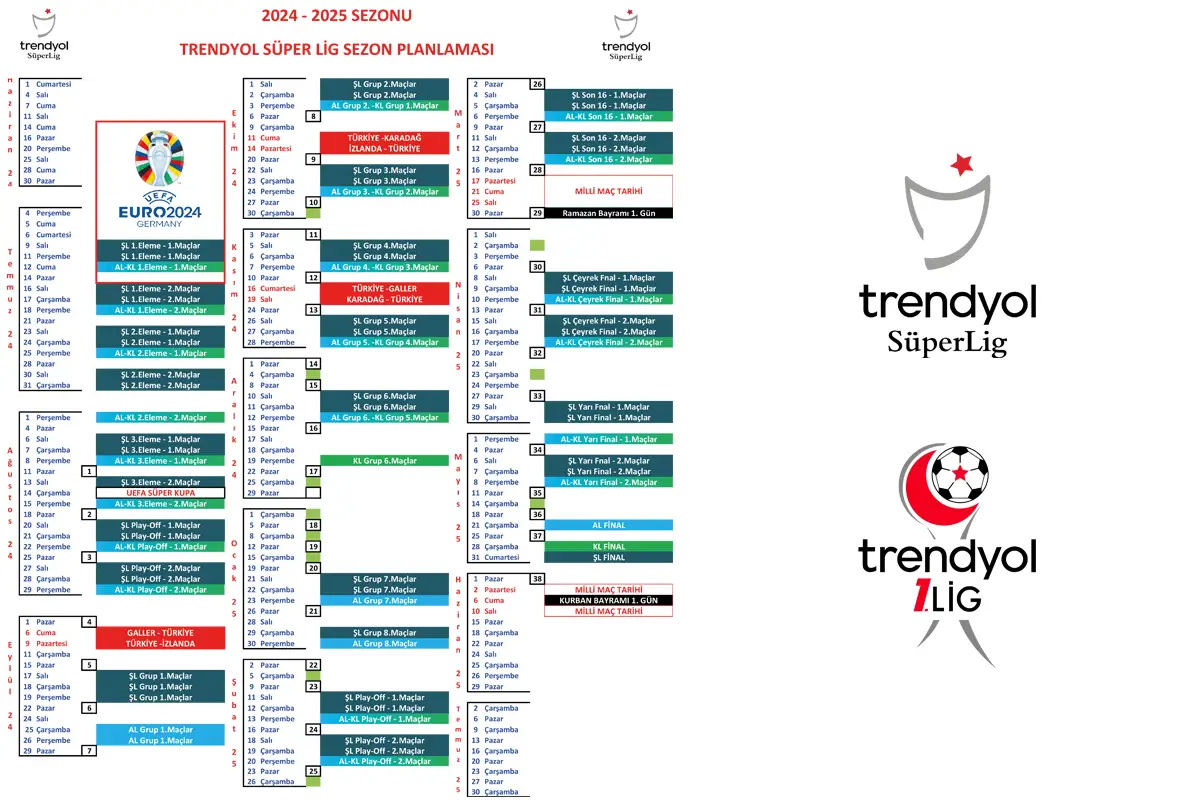
27. Can I Track the Süper Lig Match Fixture and Broadcast Schedule on Digiturk Play?
Yes. You can track the Süper Lig fixture, match times, and broadcast schedule directly on our website. This makes it easy to plan ahead and know exactly when your team's next match will be aired.
You can also check the in-app programme guide for upcoming live matches and broadcasts across all channels in your package.
28. How Many Devices Can I Watch Digiturk Play on Simultaneously?
You can log in to multiple devices (TV, phone, tablet) with the same account, but simultaneous streaming is limited to one device at a time.
This means if you start a broadcast on your phone and then start it on your TV, the broadcast on the phone will pause and continue from where you left off on the TV. The stream simply follows you from device to device.
29. How Do I Install Digiturk Play on a Smart TV or Fire TV Stick?
Installing Digiturk Play is quick and easy:
- On your device's app store (or the Fire TV search bar), search for "Digiturk Play"
- Download the official app (free to download)
- Open the app and log in with the credentials sent to your email after purchase
Installation typically takes 2–3 minutes per device and requires no technical knowledge. If you get stuck at any point, our WhatsApp support team will guide you through the setup step by step.
30. Can I Watch Digiturk Play on My TV Using Apple TV or AirPlay?
Yes. If your iPhone, iPad, or Mac and your Apple TV are connected to the same Wi-Fi network, you can use AirPlay to mirror the stream to your big screen TV.
After logging into the app, simply tap the AirPlay icon on your screen to cast the broadcast to your television. You can also download the Digiturk Play app directly on your Apple TV from the App Store.
31. Can I Cast Digiturk Play to My TV Using Chromecast or Samsung Cast?
Yes. When your Chromecast or Samsung Cast device is on the same Wi-Fi network as your phone, you can mirror the stream to your television.
After opening the app and starting your session, simply tap the cast (mirror) icon on screen to send the picture to your big screen TV.
32. Do I Need a Satellite Dish to Watch Digiturk Play Abroad?
No. All Digiturk Play broadcasts are delivered over the internet — no satellite dish, satellite receiver, or additional hardware is required.
This is especially convenient for those living in rented apartments where installing a satellite dish is not permitted. Simply set up your internet connection, install the app on your device, and start watching. No installation engineer, no waiting for equipment — just a few minutes and you are ready to go.
33. Can I Start Watching Digiturk Play Immediately After Purchasing?
Yes. After completing your payment, your account is activated and your login credentials are sent to your email address. Once you download the app and log in with these credentials, you can start watching straight away.
Activation typically only takes a few minutes depending on system load. So within minutes of completing your purchase, you can be watching Turkish TV channels or live Süper Lig matches.
34. Where Do I Receive My Digiturk Play Login Credentials?
When your package is set up, a notification email containing your login credentials is sent to the email address you provided in the registration form.
If you previously had a Digiturk Play account with the same email address, you can log in using that existing email and password. If your email has not arrived, please contact us via the WhatsApp button on our website and we will resend your login details immediately.
35. I Forgot My Digiturk Play Password or Never Received It — How Do I Reset It?
You can request a password reset link to your email address using the "Forgot Password" link on the app or website login screen.
If this is your first time registering and you never received your password, simply contact us via the WhatsApp icon on our website with your password reset request. Our support team will create your password and send it to you as quickly as possible.
36. I'm Getting an Error While Filling in the Digiturk Play Registration Form — What Should I Do?
First, check your entries carefully — particularly the email address and payment card details — and try again. If you continue to receive the same error, note down the warning message on screen and contact our WhatsApp support line. Our team will work through the registration and payment steps with you to complete your subscription without delay.
37. Where Can I See My Digiturk Play Subscription Start and End Dates?
You can track your subscription period in the "My Purchases" (Satın Aldıklarım) section of your account — where you can see exactly when your package started and when it expires.
Our customer services team can also confirm your subscription dates upon request. You will also receive a reminder notification before your subscription period ends, so you are never caught off guard.
38. Will My Digiturk Play Subscription Work When I Visit Turkey?
Yes. Your Digiturk Play subscription works in Turkey and the TRNC exactly as it does abroad – on every device, the web browser included.
Streaming through the website from Turkey and Northern Cyprus used to be unavailable; that restriction has been lifted. You can now sign in from a browser in Turkey, or keep using the official apps on your smartphone, tablet, Smart TV, Android TV, Apple TV or Fire TV Stick.
Nothing needs to be changed before you travel: your subscription stays active, your login stays the same, and your broadcasts simply travel with you.
39. If I Move to Another Country, Will My Digiturk Play Subscription Be Affected?
No. Your subscription is linked to your user account, not to a specific device or location. If you move countries, simply log in from your new home's internet connection using the same credentials — no new payment or reinstallation is required.
Digiturk Play is available in over 100 countries, so your service continues seamlessly wherever you relocate — whether from Germany to the UK, from Belgium to the Netherlands, or anywhere else in the world.
40. When Will I Receive My Digiturk Play Refund After Cancellation?
After your cancellation is approved, the package fee is refunded to the credit card or account used for payment — typically within a few business days. Processing time may vary slightly depending on your bank.
You can check the status of your refund at any time by contacting our support team via WhatsApp or phone.
41. Can I Pause or Freeze My Digiturk Play Subscription?
Subscription freezing is not available, as subscriptions are activated for a fixed prepaid period. If you want to take a break, the simplest approach is to let your current package expire without renewing, then resubscribe whenever you are ready to watch again.
When you decide to return, you can log back in with the same account details and pick up right where you left off. Your watch history and preferences will still be there.
42. Will I Be Charged or Receive an Invoice If I Cancel My Digiturk Play Subscription?
If you cancel within the 14-day withdrawal period (available to EU residents), you will not be charged. Your digital invoice from the original purchase is automatically sent to your email upon payment and can be used for tax or expense documentation.
If you cancel after the 14-day period, the prepaid package remains active until the end of the paid period, and no additional charges apply.
43. Do I Need to Wait for Hardware Delivery or Return Equipment with Digiturk Play?
No. Since Digiturk Play operates entirely over the internet, no physical device or box is shipped to you. There is no delivery to wait for and no hardware to return when you cancel.
After completing payment, you can start watching on your existing devices within minutes. If you have an older IP box (such as Airties or Humax), contact our support team for compatibility guidance.
44. Are Digiturk Play Payments Made in Euros or Other Currencies?
Payment currency depends on your region of residence:
- European countries (Germany, Austria, France, Belgium, Netherlands, Switzerland, UK, etc.): Payments are made in Euros
- USA, Canada, Australia: Payments are made in Dollars
Bank-based payment methods such as EPS (Austria) and Bancontact (Belgium) are also available in select countries. The pricing page shows the correct currency for your country automatically.
45. I'm Getting an Error While Filling in the Digiturk Play Payment Form — What Should I Do?
If you encounter an error on the payment form, try the process once more — this often resolves temporary issues. If the error repeats, note down the on-screen warning message and contact our WhatsApp support line.
Our team will work through the payment steps together with you to complete your purchase quickly. We also offer alternative payment methods including bank transfer if card payment continues to cause issues.
46. Can I Get an Invoice or Receipt After Purchasing Digiturk Play?
Yes. Once your payment is completed, a digital invoice is automatically sent to your registered email address. You can use this document for tax returns, business expense claims, or any other official purposes.
If you haven't received your invoice or need a duplicate, please contact our customer support team and we will resend it promptly.
47. Can I Pay for Digiturk Play with a Turkish Bank Credit Card?
Yes. Credit and debit cards issued by all banks in Turkey are accepted on the Digiturk Play payment page. Simply enter your Turkish bank card details and complete the 3D Secure verification to activate your subscription.
International cards (Visa, Mastercard, Amex), PayPal, Apple Pay, and Google Pay are also accepted, giving you maximum flexibility regardless of where your bank account is based.
48. Can I Pay for Digiturk Play by Bank Transfer?
Yes, bank transfer payments are accepted. Here are the account details:
For Euro (EUR) payments:
Account Name: New Generation Media LLC
BIC: TRWIBEB1XXX
IBAN: BE19 9676 6835 4012
For US Dollar (USD) payments:
Account Name: New Generation Media LLC
SWIFT/BIC: CMFGUS33
Account No: 822000676751
After completing your transfer, please share your bank receipt (dekont) with us via WhatsApp — we will activate your package as soon as the payment is confirmed.
49. Is My Credit Card Information Safe When Paying for Digiturk Play?
Yes. The Digiturk Play payment page uses SSL (Secure Sockets Layer) encryption and 3D Secure authentication to protect all transactions. Your card details are encrypted during processing and are never stored on our servers.
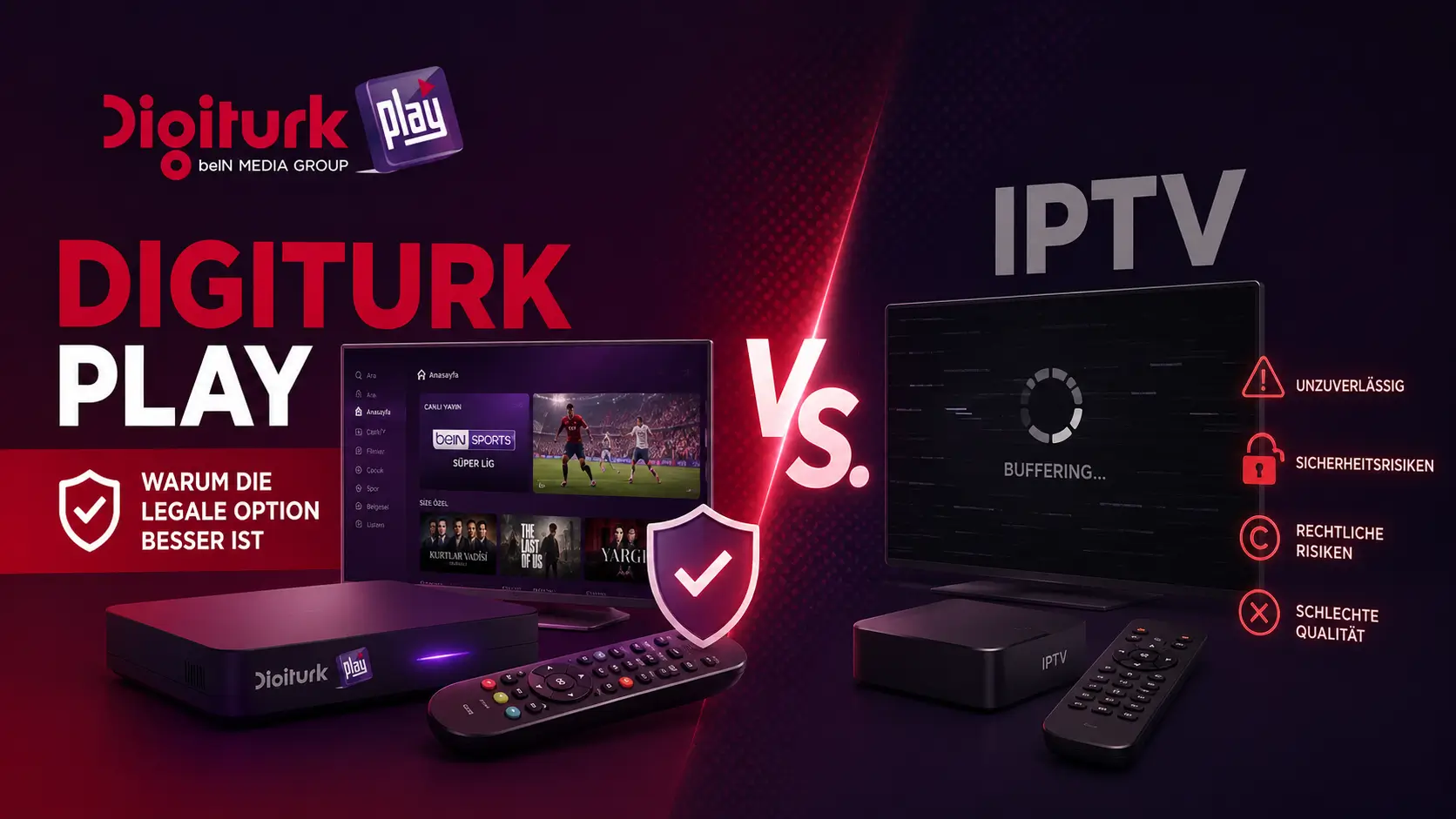
Unlike illegal IPTV services — which carry real risks of credit card fraud and data theft — Digiturk Play is a fully licensed and official platform with secure payment infrastructure. You can subscribe with complete peace of mind.
50. Is It Safe to Purchase Digiturk Play Through an Authorised Reseller Like digiturkplay.net?
Yes, it is completely safe. digiturkplay.net is an official authorised reseller of Digiturk Play's international streaming service, operating under New Generation Media LLC.
Authorised resellers offer benefits such as a streamlined registration interface, fast account activation, and 24/7 Turkish-language customer support. All payments are handled securely and you receive official Digiturk Play login credentials immediately after purchase — just as you would through any official channel.